Stealth Mode reduces Replikanto-specific identifiers in order metadata, including order names and OCO labels. It is an option for advanced users: Replikanto then keeps the link between each leader order and its follower copies itself, so it asks for a little more care when you close NinjaTrader with orders still working.
- Order names: follower orders carry no Replikanto tab identifier in their name; a copied order keeps the leader order’s own name.
- OCO ids: each follower account gets its own OCO id for each bracket, with no Replikanto identifier in it.
- Changes still follow: Replikanto keeps the link between leader and follower orders, so when you move or cancel a leader order, the follower copies follow.
- Off by default: you turn it on per Replikanto tab, in Properties.
How it works
To know which follower order is the copy of which leader order, Replikanto needs a link between them. Stealth Mode changes where that link is kept.
Without Stealth Mode
Replikanto writes the link into the follower order itself. The order name is the leader order’s name followed by part of the leader order’s id and the Replikanto tab identifier. The OCO field holds the leader’s OCO id followed by the tab identifier and a number that identifies the follower account. Because the link travels with the order, Replikanto can find the follower copy of a leader order after NinjaTrader restarts. ATM Copy followers are the exception: Replikanto keeps their link itself, as it does with Stealth Mode.

With Stealth Mode
Replikanto keeps the link in its own memory instead of writing it into the order. The follower order keeps the leader order’s own name (Market Only copies are sent with no name), and its OCO field holds an id made for that follower account alone: the two legs of one bracket share it, and no other account, leader included, uses it. So a fill on one account does not cancel a working order on another account, even when several accounts share the same broker connection.
When a leader order is renamed, Replikanto updates its link, so later changes and cancels of that order still reach the follower copies.

When you close NinjaTrader with orders working
Because the link is not written on the orders, Replikanto cannot rebuild it from the orders after a restart. When you close the Replikanto window, or NinjaTrader, while this tab’s followers still have working orders, Replikanto saves the links to a file and reads them back when you reopen the same saved workspace.
The links are lost if NinjaTrader closes unexpectedly, or if you open a new Replikanto window instead of the saved workspace. Replikanto then no longer copies later changes or cancels of those leader orders: check the follower orders that are still working and manage them by hand. With no working orders when you close, there is nothing to lose.
How to set it up
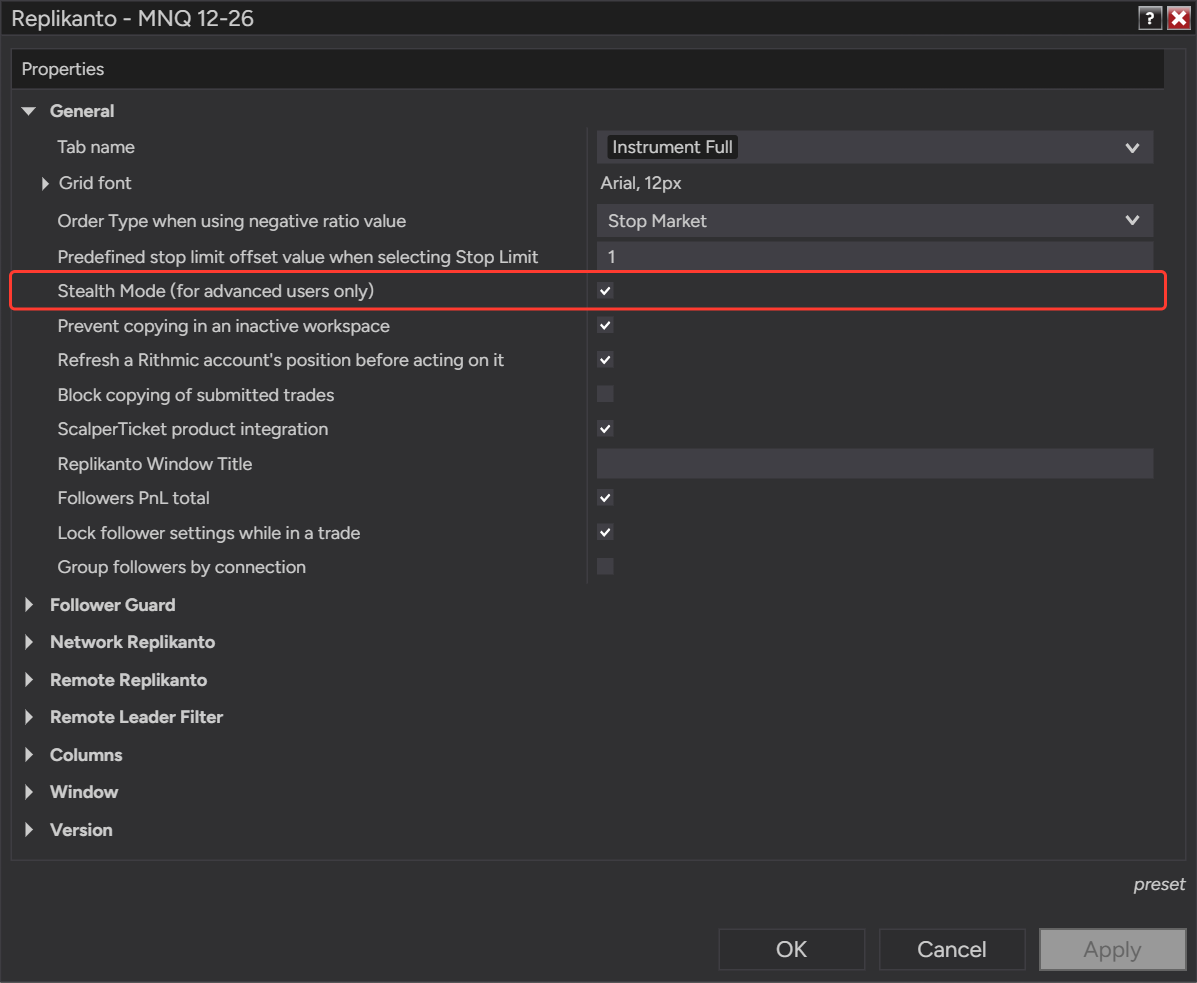
- Make sure the tab’s followers have no working orders on the tab’s instrument. While they do, the option is shown but cannot be changed.
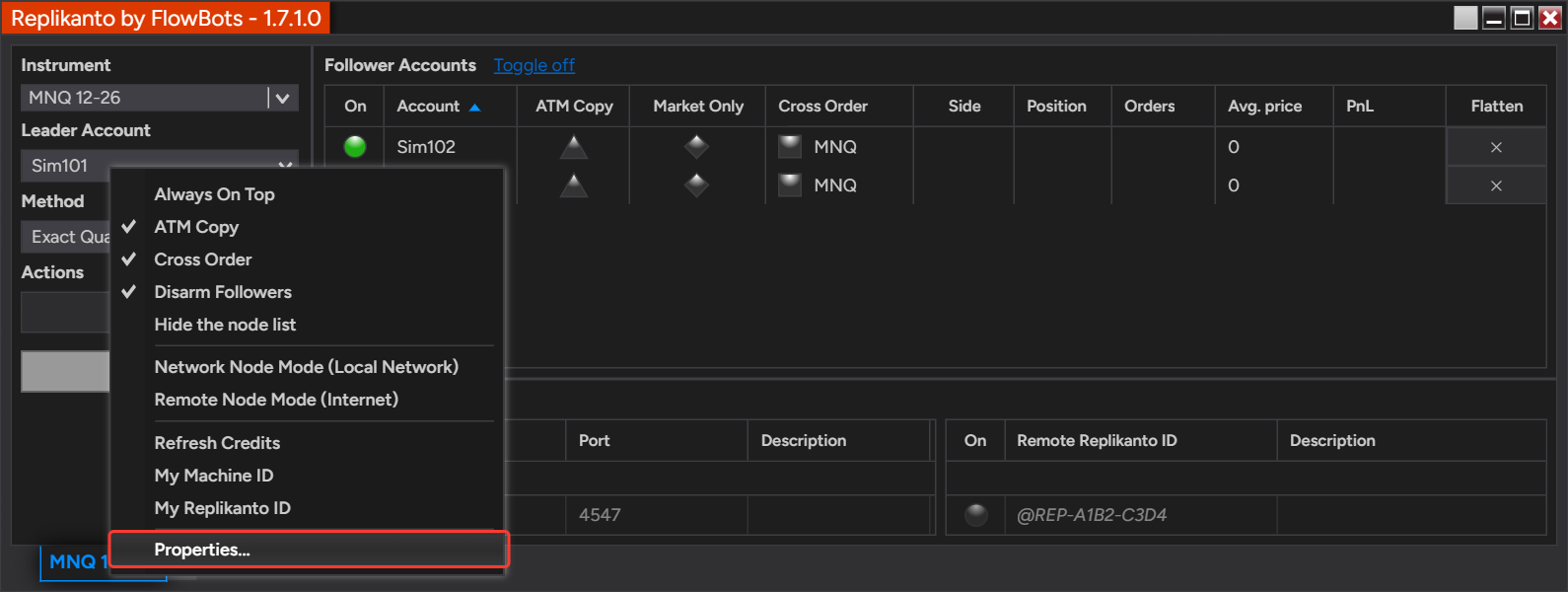
- Right-click the Replikanto window and select Properties….
- In the General group, check Stealth Mode (for advanced users only).
- Click OK.
- For followers on another computer, repeat these steps in the Replikanto tab on that computer.
Good to know
- Per tab: the option applies to every follower of the tab where you turn it on. Other Replikanto tabs keep their own setting.
- Remote followers: with Network Node Mode or Remote Node Mode, the follower orders are placed by the Replikanto tab on the follower’s computer, so that tab’s setting is the one that applies to them.
- What it does not change: which orders are copied, their quantities and their prices are the same with Stealth Mode on or off.
- Closing with orders working: close NinjaTrader normally and reopen the same workspace to keep the links. The safest moment to close is when no leader or follower orders are working.
- Your responsibility: you remain responsible for complying with all applicable broker, platform and prop firm rules and account agreements.
Related
- ATM Copy: run your ATM strategy on each follower
- Moving the leader’s stop or target: what the followers do
- OCO exit orders: NinjaTrader and TradingView compared
Questions? Browse the Replikanto Knowledge Center or contact us. New to Replikanto? Try it free for 7 days.