Your Replikanto Remote ID identifies the Replikanto on your computer for copying over the internet. A leader needs each follower computer’s ID to send trades to it, and Submit credits are added to the ID of the computer that sends the trades.
- Format: @REP- followed by two groups of four letters or digits, such as @REP-AAAA-0001 (a made-up example).
- One ID per computer: every Replikanto window and tab on the same computer shows the same ID.
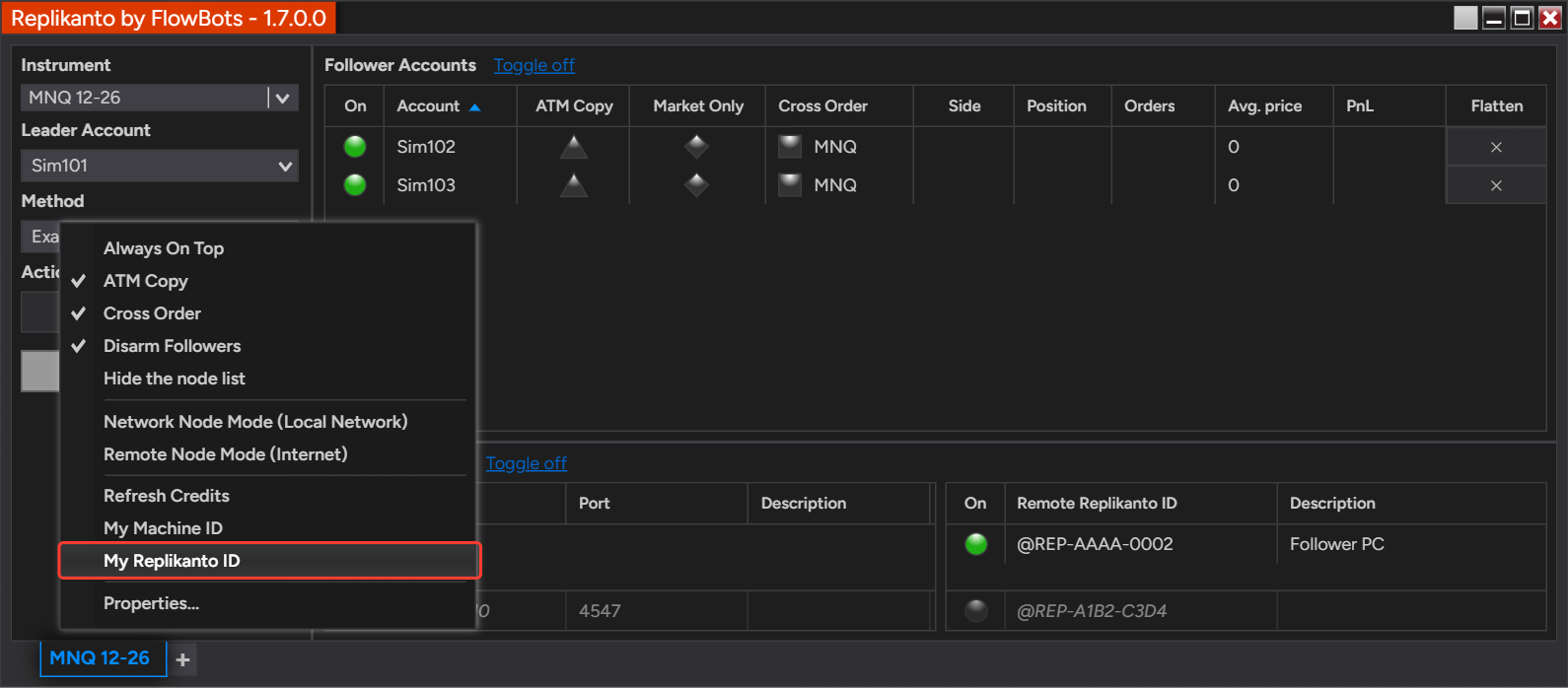
- Copy it in one click: right-click Replikanto and select My Replikanto ID to copy it to the clipboard.
- Credits go to the sender: when you buy Submit credits, enter the ID of the computer that sends the trades.
How it works
Replikanto receives its Remote ID from the Replikanto server when it starts, together with your Submit credits balance. The ID belongs to the computer, so it is the same in every Replikanto window and tab there, whatever the tab’s mode.
Where to find it
My Replikanto ID in the right-click menu copies the ID to the clipboard and writes it in the NinjaTrader Log tab (Control Center > Log): “Your Replikanto Remote ID is ‘…’. It has also been copied to the clipboard, so you can press Ctrl+V to paste it.”
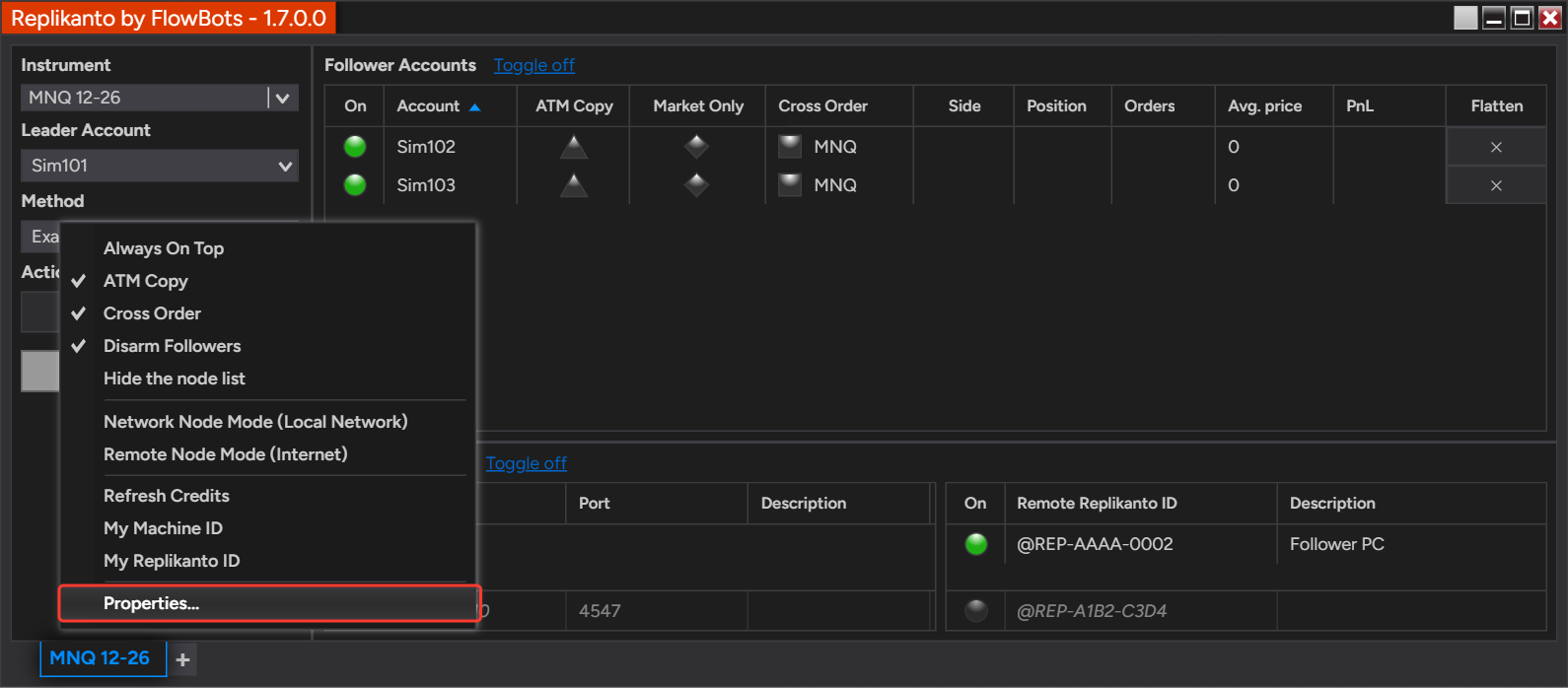
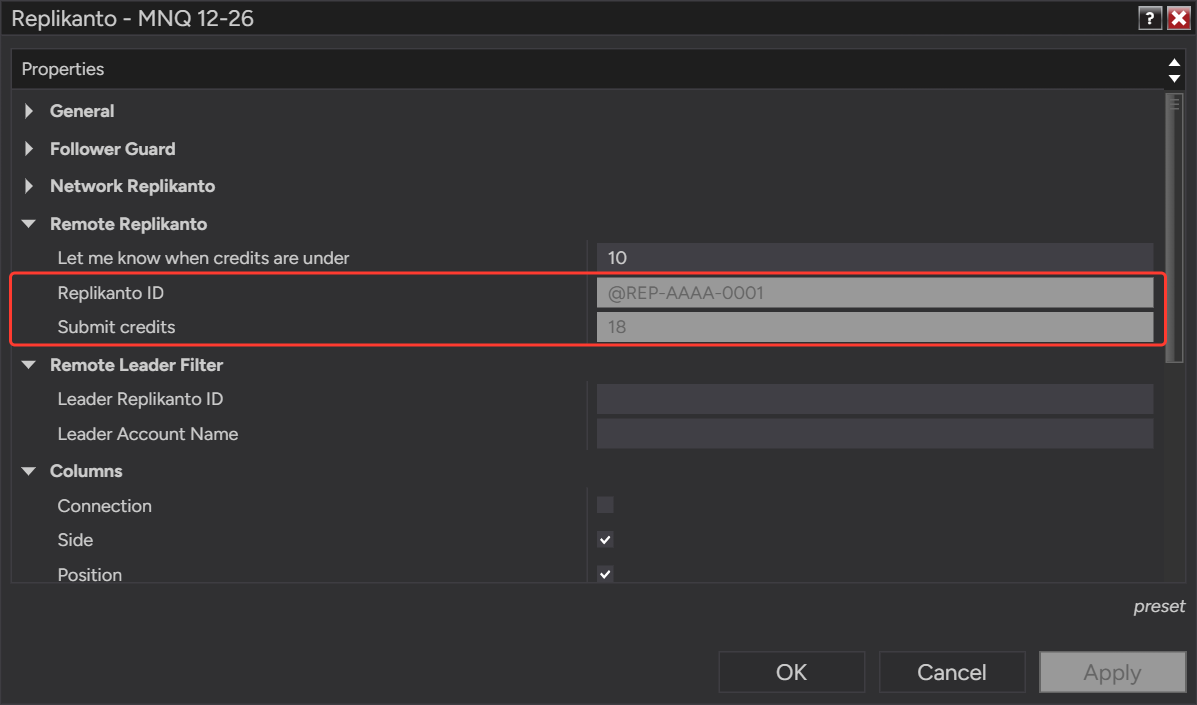
The ID is also shown in Properties (right-click the Replikanto window and select Properties), in the Remote Replikanto group, as Replikanto ID, next to your Submit credits balance.
On a tab in Remote Node Mode (Internet), the ID is also shown at the top of the tab, under Remote Replikanto ID.
Which ID goes where
- The follower computer’s ID goes into the leader’s node list, in the Remote Replikanto ID column under Replikanto Nodes, so the leader can send trades to it over the internet.
- The leader computer’s ID goes into the checkout when you buy Submit credits, and into Remote Leader Filter on a follower that should copy only that leader.
Submit credits and your ID
Submit credits are used only for internet copying (Remote Node Mode). The sending computer uses one credit per order for each remote computer it sends to; changes and cancellations are free, and copying on the same computer or over your local network uses none. When credits run out, trades are not sent over the internet. Every license includes 20, and more credits can be bought at any time. The credits you buy are added to the Replikanto Remote ID you enter at checkout.
How to set it up
- On the computer whose ID you need, right-click the Replikanto window and select My Replikanto ID. Paste the ID where you need it with Ctrl+V.
- To copy trades to a follower computer over the internet, send its ID to the leader. On the leader tab, type it in the empty row at the bottom of the Remote Replikanto ID column under Replikanto Nodes, then click the circle in the On column to turn sending on.
- To buy Submit credits, copy the leader computer’s ID and paste it into the Replikanto Remote ID field at checkout on the Replikanto Remote Credit page.
- After the payment, right-click the Replikanto window on the leader computer and select Refresh Credits. Replikanto shows your updated balance, which you can also check in Properties, under Submit credits.
Good to know
- No ID yet? The ID appears the first time Replikanto runs on the computer, so the simplest way is to install Replikanto (the free trial works) and copy the ID before you buy credits. If you buy Replikanto and credits together before that, enter @REP-XXXX-XXXX in the checkout field, then send your real ID to FlowBots support so the credits can be added to it.
- If Replikanto shows no ID, it most likely could not reach the Replikanto server when it started. Check the computer’s internet connection, then select Refresh Credits, which also fetches the ID again.
- Internet copying also needs a signed NinjaTrader Machine ID on each computer. My Machine ID, next to My Replikanto ID in the right-click menu, copies it to the clipboard.
- Test it live: add @REP-TEST-ECHO to the Remote Replikanto ID list of a leader tab and place an order: it shows up on replikanto.com a moment later. The demo does not use your credits, but your balance must be above zero.
- Copying on the same computer or over your local network does not need a Remote ID: local network nodes are added by Node IP and Port (on a local network, only Remote Leader Filter’s Leader Replikanto ID uses it).
- Let me know when credits are under, in the same Properties group, sets the balance below which Replikanto warns you, so you can buy more before they run out.
- Credits are personal, non-transferable and non-refundable.
Related
- Copy only the leader you choose with Remote Leader Filter
- Export and import your remote node list
- Copy trades between computers over the internet
- Test remote trade copying live on replikanto.com
- Which computer needs Submit credits: leader or follower
- How to generate a signed NinjaTrader Machine ID
Questions? Browse the Replikanto Knowledge Center or contact us. New to Replikanto? Try it free for 7 days.