When you trade the leader account with ScalperTicket, Replikanto can price each follower’s order at that follower’s own current bid or ask instead of copying the leader’s price, and the ticket’s close button can run Replikanto’s Flatten All. This helps in fast markets, where the leader’s price may already be gone by the time a follower’s order is placed.
- Bid and ask per follower: an order placed with the ticket’s Buy Bid, Buy Ask, Sell Bid or Sell Ask button reaches each follower at that follower’s current bid or ask, except followers with a negative ratio.
- Flatten All on the ticket: one click on the ticket closes the leader and its followers that are not Off on the tab’s instrument.
- Local and remote followers: followers on other computers price their orders at their own bid or ask too.
- On by default in Replikanto: bid and ask pricing needs only ScalperTicket 1.4 or later on the leader’s computer; Flatten All on the ticket is a ScalperTicket option you turn on.
How it works
Bid and ask buttons
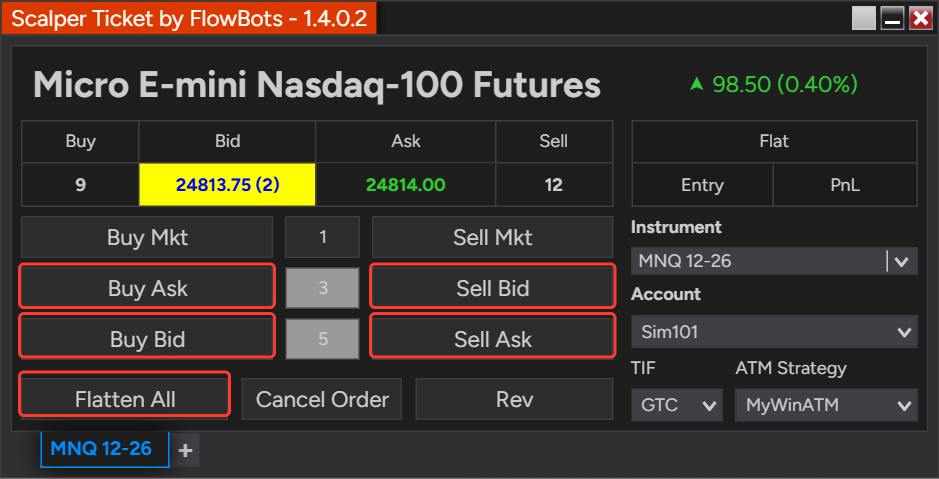
Replikanto normally copies a limit order at the leader’s price. When the leader’s order comes from one of ScalperTicket’s bid or ask buttons, Replikanto places each follower’s limit order at the current bid (Buy Bid, Sell Bid) or ask (Buy Ask, Sell Ask) of the instrument that follower trades, read at the moment the copy is placed. Each follower joins its own market instead of chasing a price the market may have already left.
A middle click on Buy Ask or Sell Bid places a simulated stop at the ask or the bid. Replikanto places each follower’s copy as a regular stop order at that follower’s own ask or bid.
Buy Mkt and Sell Mkt send market orders, which are copied as usual. If there is no bid or ask for a follower’s instrument at that moment, the follower’s order uses the leader’s price.
Flatten All on the ticket
With the ScalperTicket option turned on, the ticket’s close button becomes Flatten All. Clicking it runs Replikanto’s Flatten All on every Replikanto tab that has ScalperTicket product integration checked and whose leader account and instrument match the ticket’s account and instrument: it closes the leader and the followers that are not Off on that instrument, including followers on other computers. If no Replikanto tab matches, the button closes only the ticket’s own account on that instrument.
How to set it up
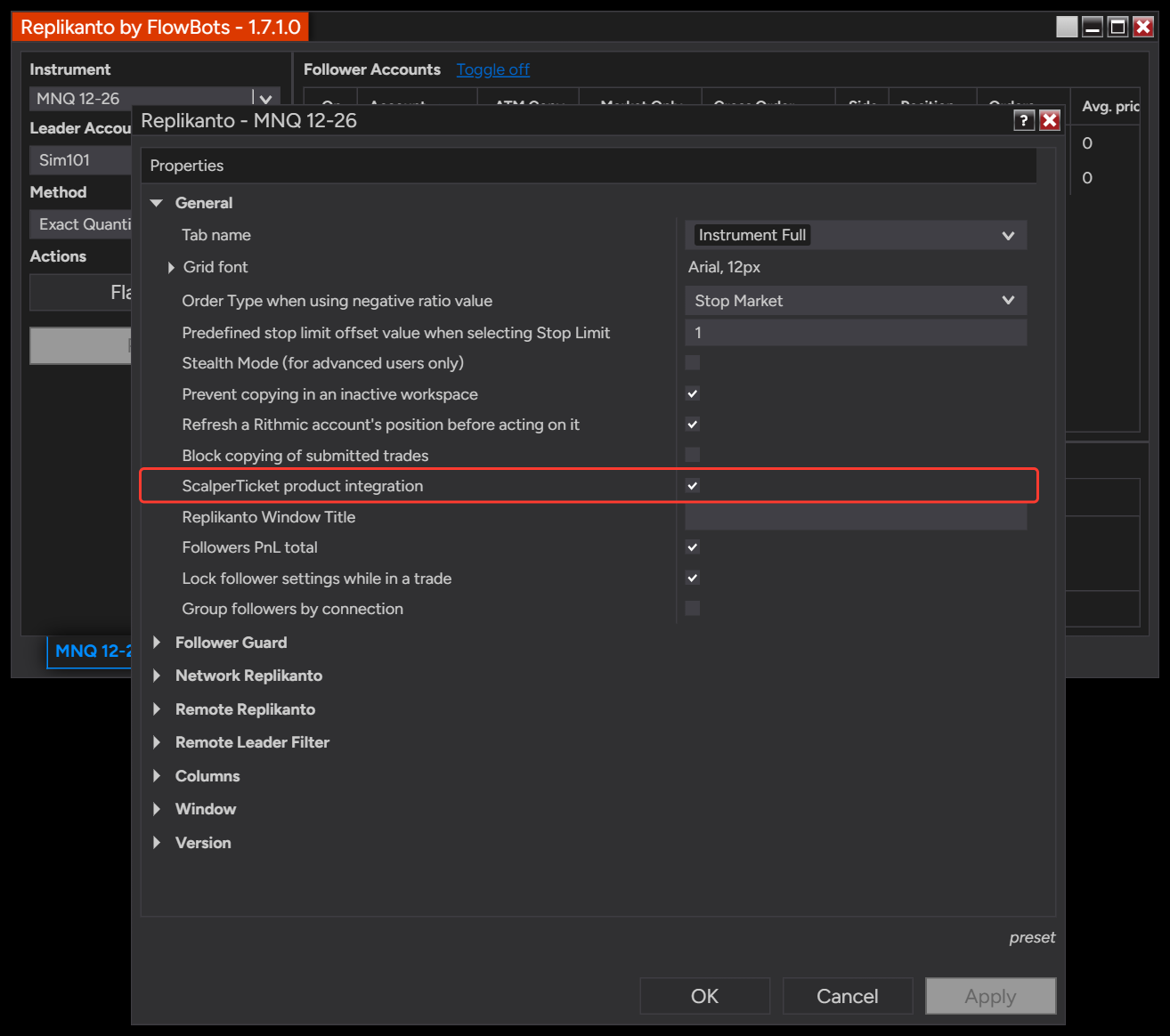
- In Replikanto, right-click the window and select Properties…. In the General group, make sure ScalperTicket product integration is checked (it is on by default), then click OK.
- Open ScalperTicket on the same computer and select the Replikanto tab’s leader account in Account and the tab’s instrument in Instrument.
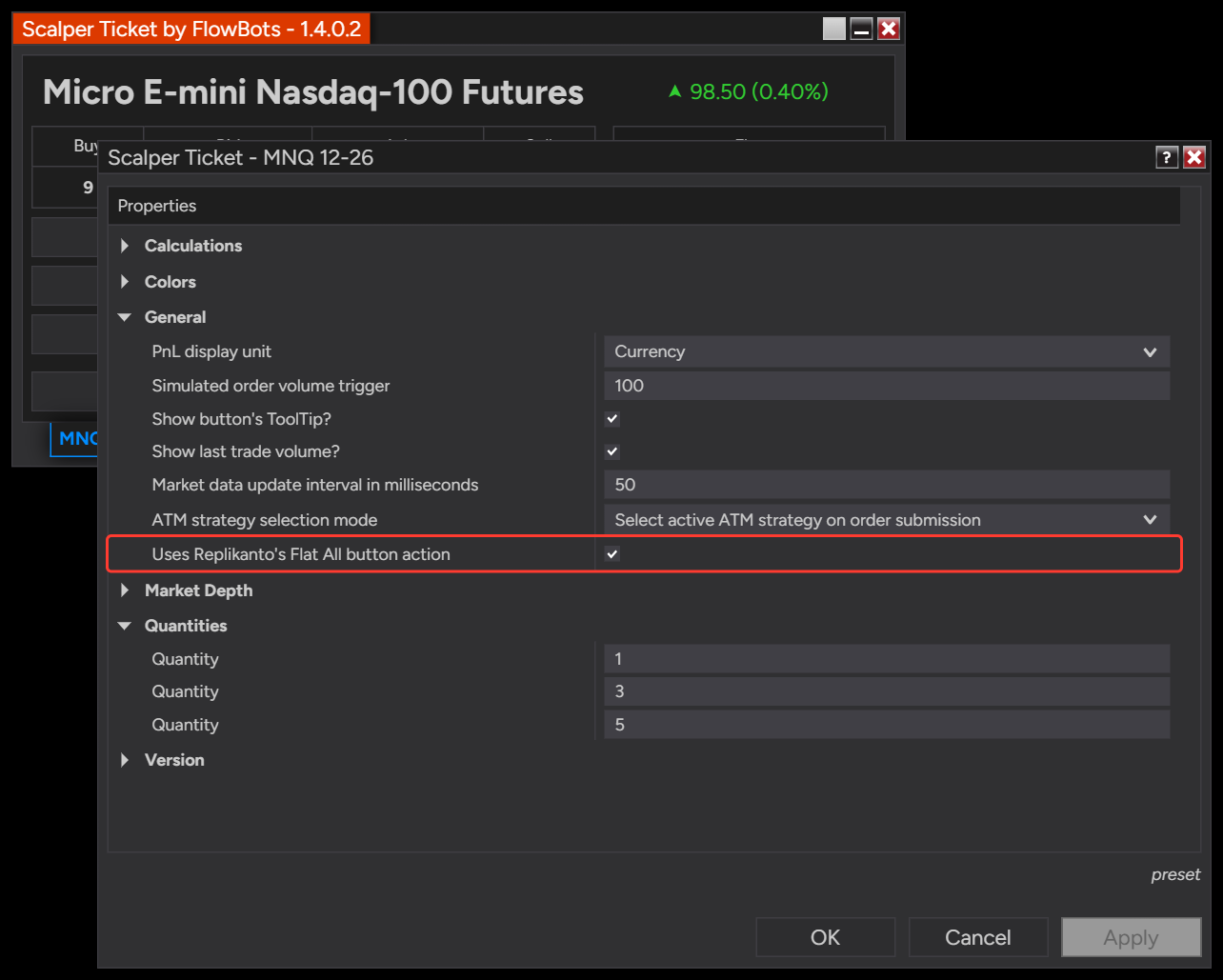
- To use Flatten All from the ticket, right-click the ticket and select Properties…. In the General group, check Uses Replikanto’s Flat All button action. The ticket’s close button then reads Flatten All.
- For followers on another computer, keep ScalperTicket product integration checked in the Replikanto tab on that computer.
Good to know
- Same computer: ScalperTicket and the Replikanto leader tab must run in the same NinjaTrader 8.
- Market data: the computer that places a follower’s order needs a bid and ask for that follower’s instrument. Without them, the leader’s price is used.
- Only when the order is placed: the bid or ask is read when the follower’s order is placed. Later changes you make to the leader’s order are copied as usual.
- Market Only followers: Market Only followers copy the leader’s fills as market orders, so bid and ask pricing does not apply to them.
- No confirmation: Flatten All from the ticket acts right away. Replikanto’s own Flatten All button asks you to confirm first.
- Negative ratio followers: their order type is inverted, so they use the leader’s price instead of their own bid or ask.
- Broker rules still apply: a follower’s broker can still reject an order, for example a stop order whose price the market has already passed when it arrives.
Related
- Market Only: copy the leader’s fills as market orders
- ScalperTicket product page
- What Flatten All closes, and what to do when it does not
- Copying trades between computers on the same local network
- Copying trades between computers over the internet
- Updating FlowBots add-ons, ScalperTicket included
Questions? Browse the Replikanto Knowledge Center or contact us. New to Replikanto? Try it free for 7 days.